Chat with PDF: Ask questions and get answers from any document
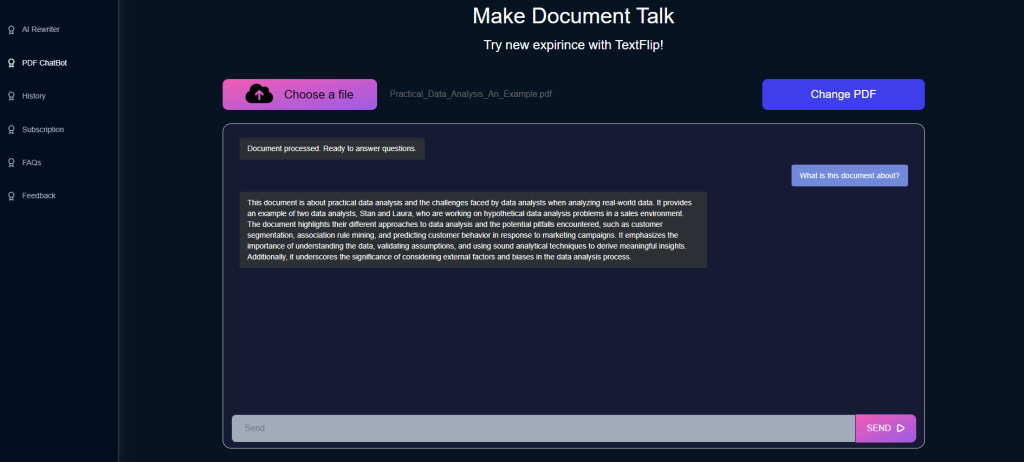

How AI lets you chat with your PDF files
A long PDF is easy to store and hard to read in a hurry. AI changes that by letting you ask PDF files direct questions instead of scrolling through them. TextFlip.ai offers this as a simple service: upload a PDF, type a question, and get an answer drawn from the document itself. The AI interprets the file's content and answers based on what the text says, so the reply is specific to your document rather than a generic summary. This is most useful for students, researchers, and professionals, the people who regularly face long reports and dense reference material. Instead of skimming for one figure or definition, you ask for it and move on. That saves time, and it also makes the material easier to understand and remember, since you can question anything that is unclear.
Chat with PDF
Ask our AI about the files you don't have time to read:
PDF documents, articles, product descriptions and more.
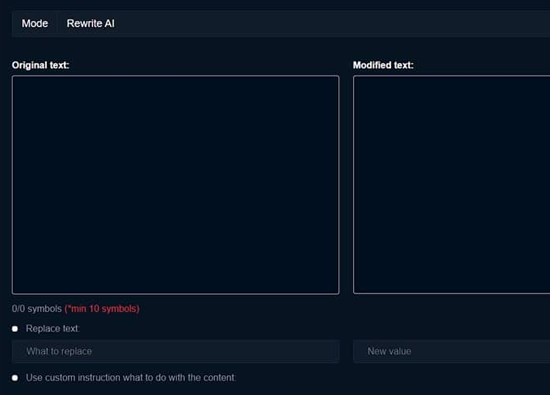
Upload the files you want summarized and the AI Summarizer starts on them right away.
The AI summarizes your content in a few seconds, and you can export the result wherever you need it.

What is ChatPDF used for?
ChatPDF is the tool from TextFlip that lets you hold a real conversation with a PDF file. You upload a document, ask questions in plain language, and get answers based on what the file says. People use it to pull key facts out of dense reports and to clarify concepts in textbooks without rereading whole chapters. Professionals and students get the most out of it, since both groups spend hours inside long documents; asking a question takes seconds where a manual search takes minutes or more. It also helps readers with visual impairments or reading difficulties, who can get at a document's content through questions and answers instead of working through the full text. In short, ChatPDF turns reading a PDF from a one-way activity into a back-and-forth exchange with the document.

Frequently Asked Questions
Is there a chat AI that reads PDFs?
Yes. TextFlip built ChatPDF for exactly this: a chat AI that reads PDF files and answers questions about them. Open a document, ask what you want to know, and the AI replies with answers taken from the file's own content, in context. It is aimed at people who deal with dense, information-heavy PDFs, mainly professionals and students. A contract clause or a definition buried deep in the file: ask for it and the answer comes back in seconds, which beats scrolling through the file by hand. It clarifies complicated passages too, since you can keep asking follow-up questions until a concept makes sense. ChatPDF by TextFlip is less a reader than a way of putting a document on the other end of a conversation, where finding information is quicker and less tedious.